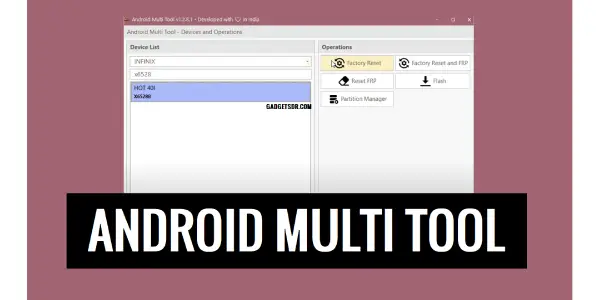
Android Multi Tool V1.3.4.8 FRP & Unlock Functions
Introduction:
Android Multi Tool V1.3.4.8 is a powerful and user-friendly mobile servicing utility designed for GSM technicians and Android repair professionals. This latest version brings improved performance enhanced compatibility and better support for modern Android devices and updated security patches. The tool allows users to perform essential operations such as FRP removal factory reset bootloader functions device information reading and other maintenance tasks with ease.
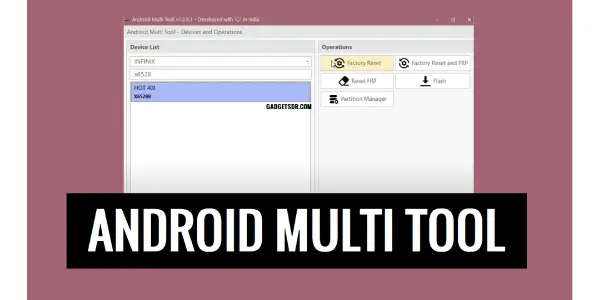
Features Of Android Multi Tool:
- Unbrick Device: The core feature. It can force-restart the system and clear caches to get a stuck device booting again.
- Flash Recovery: Allows you to flash a custom recovery (like TWRP) onto your device which is the first step for installing custom ROMs.
- Flash Stock ROM: While not as common in this tool as in Odin (for Samsung) some versions can push ROM files.
- Root Device: Can automatically root the device by pushing the necessary files and granting superuser access.
- Remove FRP Lock: This was a major use case. It could help bypass the Factory Reset Protection (FRP) lock on some Samsung devices (e.g. J series S series A series)
- Reboot Options: Easy one-click reboots into different modes (System Recovery Download Mode Bootloader).
- Clear Cache/Data: Wipes the Dalvik cache and user data partition.
What’s New in Android Multi Tool V1.3.4.8
- Added support for newer Android versions and updated security patches
- Improved FRP bypass success rate on supported devices
- Enhanced ADB and Fastboot command stability
- Optimized user lock and factory reset operations
- Faster device detection and connection handling
- Fixed minor bugs reported in previous versions
- Improved overall performance and tool reliability
- Better compatibility with Qualcomm and MediaTek devices
How To Use?
- First you need to download the zip file from Click Here
- Next you can unzip all files at c: drive (important)
- Ensure you have disabled the antivirus before running the installation
- Next open the folder and install the setup file with some basic instruction
- Run the Android Multi Tool V1.3.4.8 Latest Update
- Next you can install all drivers if you already installed skip this step
- Connect the phone and try to do any function
- Enjoy !!!
Download Android Multi Tool V1.3.4.8: Click Here
Conclusion:
Android Multi Tool V1.3.4.8 is an advanced Android servicing solution built for GSM technicians, repair shops, and professional users. The latest release focuses on smoother performance wider device compatibility and improved support for the latest Android versions and security updates. It enables users to carry out important tasks such as FRP reset factory formatting bootloader operations device info reading, and various system maintenance procedures quickly and efficiently.
Others Tools List:
Unlock Tool 2023.11.12.0 – Latest Update